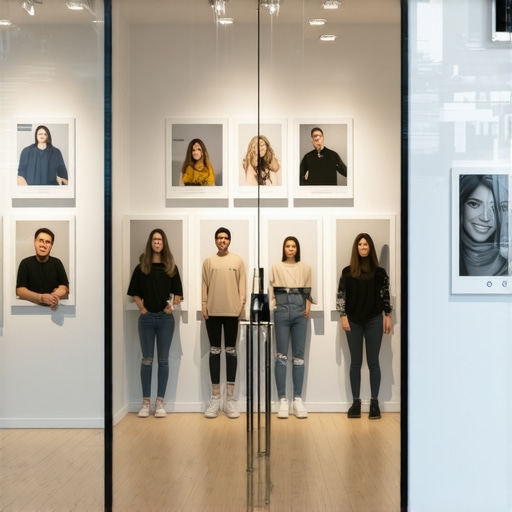
The Proof-of-Life Tactics: Using Customer Photos to Prove Your Store Is Real
Imagine a potential customer searching for a service you provide. They find your business on Google Maps, but as they scroll through your profile, they see nothing but a generic street view image from three years ago and a single, low-resolution logo. In the digital age, this is what we call a “Ghost Town” profile. To the customer – and more importantly, to Google’s ranking algorithm – your business might as well be closed.
In my years as a Local SEO expert, I’ve seen businesses with perfect citations and hundreds of reviews get outranked by smaller competitors simply because the competitor’s profile felt “alive.” This is where the concept of “Proof-of-Life” tactics comes into play. It is the practice of using visual evidence to prove that your business is active, bustling, and legitimate in real-time. Authentic photos are no longer just a “nice-to-have” feature; they are a core pillar of google business profile seo.
As we move into 2026, the local search landscape is becoming increasingly skeptical. AI-generated content and fake listings have flooded the market, making trust the most valuable currency in the Map Pack. If you want to understand why most local businesses fail the map pack trust test, look no further than their photo gallery. Today, we are going to dive deep into how you can use customer-generated and authentic photos to dominate your local market.
The Algorithm’s Eyes: How Google “Reads” Your Photos
Many business owners believe that Google simply sees a photo as a file. In reality, Google’s Cloud Vision AI is incredibly sophisticated. When you or a customer uploads a photo to your Google Business Profile (GBP), Google “reads” it in several ways to determine your google business profile optimization score.
First, Google uses object detection. If you are a plumber and you upload photos of water heaters, pipe wrenches, and service vans, Google’s AI identifies these objects. This reinforces your business category and helps you rank for specific service-related keywords. Secondly, Google performs OCR (Optical Character Recognition) to read text within the image. This includes your storefront signage, the branding on your uniforms, and even the text on your business cards. All of these are “trust signals” that verify your identity.
Perhaps most importantly for local rankings is EXIF data. Every photo taken with a smartphone contains metadata, including the GPS coordinates of where the photo was taken. When a customer takes a photo at your place of business and uploads it, Google sees a verified geographic signal that your business exists at its claimed location. This is a massive boost for those looking to rank google business profile listings in competitive areas. While Google can interpret edited professional photos, raw, unedited photos from a smartphone often carry more weight because they are harder to spoof and provide “cleaner” location data.
Why Customer Photos (UGC) Are Your Secret Weapon
While professional photography has its place, User-Generated Content (UGC) is the ultimate conversion engine. The data is clear: users who interact with gallery UGC content see a 308% increase in time spent on a site or profile. Furthermore, profiles that feature a healthy mix of customer photos see 140% higher conversion rates compared to those that rely solely on professional or stock imagery.
Why is this? It’s because authenticity beats high-gloss production every time. A customer wants to see what the “real” experience looks like. They want to see the actual size of the portions at your restaurant, the actual cleanliness of your dental office, or the actual results of a landscaping project. When a customer uploads a photo, it serves as a visual testimonial that is far more difficult to fake than a text-based review.
In my experience, the photo update shortcut that doubled our Google Maps call volume in a month wasn’t a professional photoshoot – it was a concerted effort to get customers to post their own “in-the-moment” shots. This strategy creates a feedback loop: more photos lead to higher visibility, which leads to more customers, which leads to even more photos. This is the engine of sustainable google maps ranking service growth.
The “Proof-of-Life” Photo Checklist
To truly rank higher on google maps, you need a diverse and frequently updated photo gallery. You cannot simply upload ten photos and call it a day. You need a consistent stream of “Proof-of-Life” evidence. Use the only Google Maps ranking checklist you need to audit your shop to ensure you have the following five categories covered:
- 1. Exterior Shots: Don’t just show the front door. Take photos from different angles and at different times of the day (morning, noon, and evening). This helps customers recognize your building when they are driving by and proves the business is open during its stated hours.
- 2. Interior Vibe: Show the atmosphere. Is it cozy? Professional? High-tech? Capture the lobby, the hallways, and the specific areas where customers spend their time.
- 3. Product/Service in Action: This is crucial for service providers. If you’re an HVAC technician, show a photo of a clean install. If you’re a lawyer, show a photo of a consultation (with permission). Seeing real employees doing real work humanizes the brand and builds immediate trust.
- 4. The Team: People buy from people. Photos of your staff smiling, working together, or even participating in local community events prove that there are real humans behind the digital profile.
- 5. The “Busy” Shot: Nothing says “this business is successful” like a full parking lot, a bustling lobby, or a “sold” sign on a property. These shots act as powerful social proof that others are already trusting you with their money.
Remember, you must stop using stock photos if you want local customers to trust your map profile. Google’s AI can easily identify stock imagery, and it provides zero ranking value or consumer trust.
Tactics to Generate Customer Photos
Getting customers to take and upload photos requires a proactive strategy. You cannot leave it to chance. Here are the most effective tactics I’ve used in my local seo services for clients:
The QR Code Strategy
Place QR codes at your point of sale, on your menus, or on the “thank you” cards you leave behind after a service call. This QR code should link directly to the “Add a Photo” section of your Google Business Profile. Make the barrier to entry as low as possible.
The “Photo for a Perk” Approach
While you should never pay for reviews, encouraging customers to share their experience via photos is generally accepted within Google’s guidelines, provided you aren’t strictly “buying” a 5-star rating. Offer a small incentive – like a free sticker, a discount on the next visit, or entry into a monthly drawing – for anyone who uploads a photo of their finished product or meal.
Active Engagement
When a customer does take the time to upload a photo, respond to it! Thank them specifically for the image. “Thanks for the great photo of the lasagna, Sarah! We’re glad you enjoyed the crust.” This shows other customers that you are paying attention and encourages them to contribute their own photos to join the conversation.
Staff Training
Train your field technicians or front-desk staff to ask: “Would you mind if I took a quick photo of the finished work for our Google page, or would you like to take one and tag us?” Often, customers are happy to help if they are pleased with the service, but they simply need a reminder. This is a foundational part of maintaining your genuine photos and GMB ranking pro spot in 2026.
Troubleshooting: When Photos Don’t Show Up
Sometimes, despite your best efforts, photos won’t appear on your profile. This can be frustrating when you are trying to improve google maps ranking. The most common reasons for photo rejection include:
- Too Much Text: Google prefers “clean” images. If a photo is covered in promotional text, watermarks, or heavy overlays, it may be flagged as spam.
- Low Quality: Blurry, dark, or extremely low-resolution photos are often filtered out by the AI as “not helpful” to the user experience.
- Duplicate Content: If you upload the same photo multiple times or use a photo that appears on dozens of other websites, Google will likely hide it.
- AI Flagging: Occasionally, the AI misinterprets an object in a photo as “restricted content.” If this happens, try taking the photo from a different angle.
Consistency is the key to increase google business profile visibility. Regular updates – at least 2-3 new photos per week – signal to Google that your business is active and relevant, which is a major factor in the google maps seo landscape.
Conclusion: Start Your 30-Day Photo Challenge
The “Proof-of-Life” strategy is not a one-time task; it is an ongoing commitment to transparency and authenticity. In a world of AI-generated noise, showing the real, messy, and beautiful reality of your day-to-day business operations is the fastest way to build trust and dominate the local map pack.
I challenge you to a 30-day “Proof-of-Life” audit. For the next month, commit to uploading three photos a week and asking at least five customers to share their own photos. You will be amazed at how quickly your engagement metrics and rankings begin to climb. For those who are serious about automating their local dominance and tracking every move their competitors make, I highly recommend using SEO Viper Tools to stay ahead of the curve.
Don’t let your profile become a digital ghost town. Give your customers – and Google – the visual proof they need to choose you over the competition.